
You're probably paying for security
you haven't turned on.
Microsoft bundles serious security capabilities into licenses most companies never fully deploy. We find what you're entitled to, switch it on, and stop the licensing bill from drifting.
CloudSapio manages Microsoft 365 licensing and security configuration for growing companies — with the same team that runs our SOC 2 and ISO 27001 engagements.
Trusted for
Migration
Security hardening
License optimization
Ongoing support
What does a Microsoft 365 partner
actually do?
Microsoft 365 licensing consultant makes sure you're on the right license tiers, aren't paying for seats you don't use, and are actually deploying the capabilities you're entitled to. Microsoft's licensing model is genuinely complex — Business Basic, Business Standard, Business Premium, E3, E5, F-series for frontline staff, plus standalone add-ons — and the differences between tiers are mostly security and compliance features rather than the familiar Office apps. Most companies land on a tier through inertia, then either overpay for capability they never configure or underbuy and bolt on add-ons at worse rates. CloudSapio audits what you own, right-sizes it, deploys the security features inside it, and manages the tenant ongoing — including migrations, offboarding, and the configuration an auditor will eventually ask about.
shared responsabilities
The licensing and the security conversation are the same conversation
For Microsoft 365, the price difference between tiers is almost entirely security and compliance capability. Move from Business Standard to Business Premium and you gain conditional access, device management, and threat protection. Move from E3 to E5 and you gain advanced threat protection, information protection and governance, and identity protection. Which means two expensive mistakes are possible, and most companies make one of them.
The first is buying the tier and never deploying what's in it.
The second is buying too much. Not every employee needs the same tier.
ADMIN CONSOLE SECURITY DEFAULT/CONFIGURED
Two-factor enforcement ENFORCED
External file sharing RESTRICTED
Third-party app access ALLOWEDLISTED
Third-party app access ENFORCED
Super admin accounts 2, SEPARATED
what we do
Six pieces of work,
done to a documented standard.
A license audit with a number at the end
We reconcile every assigned license against actual usage, tier by tier and person by person. You get a list of what to cut, what to downgrade, and what to move to a cheaper tier — with the annual figure attached.
Entra ID and access properly structured
Group-based license assignment, role separation so not everyone is a Global Administrator, privileged access reviewed, and legacy authentication disabled. Most tenants we inherit fail on at least two of these.
The security you already own, switched on
Conditional access, MFA enforcement, device compliance, Defender policies, and data loss prevention configured to the tier you're paying for. This is the highest-value work on the page and it usually costs you nothing in new licensing.
Offboarding that doesn't leak
A documented process for departing staff: license reclaimed, access revoked, OneDrive transferred, mailbox converted, device wiped. This is the single most common gap we find, and the first thing an auditor asks about.
Migration without the weekend outage
We move mail, files, and calendars from Google Workspace, Exchange, or another M365 tenant with sequenced cutover and full history preserved. Your team works Monday morning as normal.
Configured for the audit you'll have later
We're a certified partner for Vanta, Drata, TrustCloud, and Thoropass, and M365 is among the first systems those platforms connect to. We configure it so the controls pass on the first check.
THE LICENSING COMPARISON
Which Microsoft 365 tier is best for you?

how we engage
3 ways to work with us.
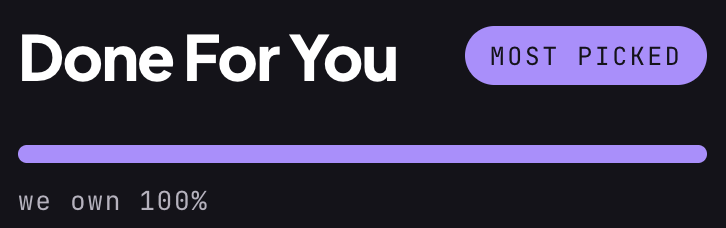
A defined engagement with fixed scope and an end date — a license audit, a security deployment, or a migration. You get the work done, documentation of what changed and why, and a handover session.
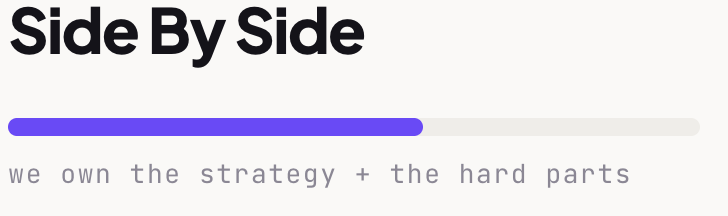
We run ongoing M365 administration: user lifecycle, license management, security configuration, policy reviews, renewals, and support. Best for teams with no internal IT function.

Your team administers it day to day; we're on call for configuration decisions, incidents, renewal negotiations, and audit questions that shouldn't be guessed at.
The questions that come up on every first call.
-
What's the difference between Microsoft 365 Business Premium and E3?
Business Premium is capped at 300 users and bundles more security capability for the price, while E3 has no seat cap and adds enterprise management, compliance, and voice features. For most companies under 300 staff, Business Premium is the better value — the usual reason to move to E3 is crossing the seat cap or needing a specific enterprise feature.
-
Is E5 worth the upgrade from E3?
It depends on whether you'll deploy what it adds — advanced threat protection, advanced compliance and eDiscovery, identity protection, and Power BI Pro. E5 pays for itself when it replaces third-party tools you're already buying separately, and wastes money when those capabilities sit unconfigured. We model that comparison against your actual stack before recommending it.
-
How much can a license audit realistically save?
Savings depend on how long the tenant has gone unreviewed, but unreclaimed seats from departed staff, over-tiered frontline users, and duplicate add-ons are the three findings that recur almost every time. We'll tell you the figure before you commit to changing anything
-
Is Microsoft 365 secure enough for SOC 2 or HIPAA?
Yes, provided it's configured correctly — Microsoft supports the necessary controls and will sign a Business Associate Agreement for HIPAA, but the default configuration is not audit-ready on its own. MFA enforcement, conditional access, admin role separation, audit log retention, data loss prevention, and a documented offboarding process all need deliberate configuration. That work is a substantial part of what we do.
-
We already use M365 but nobody owns it. Where do you start?
With a review of the tenant — license assignment against usage, admin roles, conditional access and MFA coverage, device compliance, third-party app consent, and offboarding gaps. You get a prioritized findings list separating what's urgent from what's housekeeping, with costs attached, and you're free to act on it with or without us.




Book a Workspace review.
A 20-minute review will tell you where your licensing is leaking, which security features you already own but haven't deployed, and what it would take to fix both — whether or not you hire us.