
Google Workspace, configured
like security matters
Most partners will get your email moved. We'll also make sure your admin console isn't the thing that fails your next audit.
CloudSapio migrates, hardens, and manages Google Workspace for growing companies — with the same security team that runs our SOC 2 and ISO 27001 engagements.
Trusted for
License optimization
migration
security hardening
Ongoing support
What does a Google Workspace partner
actually do?
A Google Workspace partner handles the setup, migration, security configuration, and ongoing administration that Google doesn't do for you.
Google provides the platform; how it's configured is entirely your responsibility. That includes migrating mail, files, and calendars without data loss, hardening the admin console, setting sharing and retention policies, configuring two-factor and device management, managing licenses so you're not paying for departed employees, and supporting users when something breaks. CloudSapio does that work for growing companies — and because we also run SOC 2, ISO 27001, and HIPAA compliance programs, we configure Workspace to stand up to an auditor from day one.
shared responsabilities
Google secures the platform. You're responsible for the configuration.
Google runs the infrastructure, patches the servers, and defends the data centre. Everything above that line — who can share files externally, whether two-factor is enforced, which third-party apps have access to your data, how long deleted mail is retained — is your configuration, and it ships with defaults chosen for convenience rather than for you.
Left alone, that's where the problems accumulate. Documents shared publicly by someone who picked the fastest sharing option. An OAuth app connected in 2023 that still has full mailbox access. Admin rights spread across four people who don't need them.
ADMIN CONSOLE SECURITY DEFAULT/CONFIGURED
Two-factor enforcement ENFORCED
External file sharing RESTRICTED
Third-party app access ALLOWEDLISTED
Third-party app access ENFORCED
Super admin accounts 2, SEPARATED
what we do
Six pieces of work,
done to a documented standard.
Migration without the weekend outage
We move mail, Drive, calendars, and contacts from Microsoft 365, Exchange, or another Workspace tenant with sequenced cutover and no lost history. Your team works Monday morning as normal.
Admin console hardened properly
Two-factor enforcement, admin role separation, external sharing rules, third-party app allowlisting, and device management — configured to a documented standard, not left on defaults.
License spend cleaned up
We audit who's actually using what, right-size license tiers, and reclaim seats from departed staff. Most audits of a neglected tenant find real money sitting in unused licenses.
Offboarding that doesn't leak
A documented process for departing employees: access revoked, data transferred to a manager, mail delegated, device wiped. This is the single most common gap we find, and the one auditors ask about first.
Configured to survive an audit
We're a certified partner for Vanta, Drata, and TrustCloud, and Workspace is one of the first systems those platforms connect to. We configure it so those controls pass on the first check rather than the third.
Support your team will actually use
A named contact who knows your tenant, for the shared drive permissions question and the mail routing problem alike — instead of a Google support queue and a ticket number.
app by app
What we actually change, in each app.
Google admin
Role separation so not everyone is a super admin, two-factor enforced with security keys where warranted, session controls, audit logging enabled and retained, and alerting configured so you hear about suspicious sign-ins in time to act.
gmail
Migration from any provider with full history, plus the configuration that actually matters: SPF, DKIM, and DMARC so your mail lands in inboxes instead of spam folders, routing rules, retention policy, and phishing protection tuned past the defaults.
GOOGLE DRIVE
Shared drive architecture designed around your teams, external sharing restricted to what your policy allows, retention and deletion rules set deliberately, and a migration that preserves your folder structure and permissions instead of flattening them.
google calendar
Resource and room booking, delegation for executives and assistants, and sharing defaults that don't expose your entire company's schedule to anyone with a link.
how we engage
3 ways to work with us.
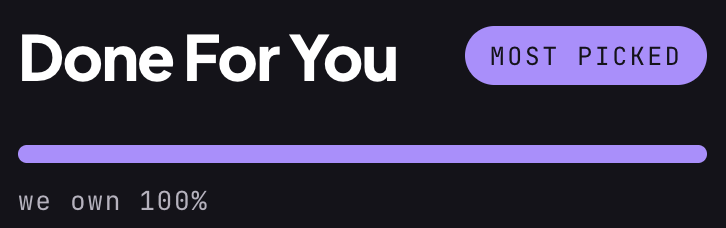
A defined migration or hardening engagement with a fixed scope. You get a configured tenant, documentation of what was set and why, and a handover session with your team.
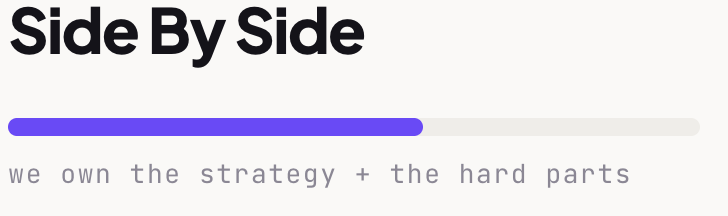
We run Workspace administration ongoing — user lifecycle, license management, security configuration, policy reviews, and support. Best for teams with no internal IT function.
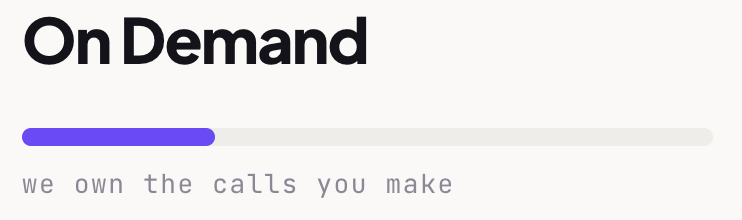
Your team administers it day to day; we're on call for the configuration decisions, incidents, and audit questions that shouldn't be guessed at.
The questions that come up on every first call.
-
How long does a Google Workspace migration take?
Most migrations for companies under 100 users complete within two to four weeks from kickoff, including planning, a pilot group, and full cutover. The variables are mailbox volume, how much history you're moving, and whether you're consolidating multiple domains or tenants.
-
Will we lose email or files during the migration?
No — mail, calendars, contacts, and Drive content migrate with history intact, and we run a pilot group before full cutover to catch problems while they're small. Your old environment stays available in parallel until the new one is verified.
-
Can you migrate us from Microsoft 365?
Yes — Microsoft 365 and Exchange are the most common sources we migrate from, along with legacy IMAP servers and other Google Workspace tenants during acquisitions. Mail, calendars, contacts, and files all transfer.
-
Is Google Workspace secure enough for SOC 2 or HIPAA?
Yes, provided it's configured correctly — Google supports the necessary controls and will sign a Business Associate Agreement for HIPAA, but the default settings are not audit-ready on their own. Two-factor enforcement, admin role separation, external sharing restrictions, audit log retention, and a documented offboarding process all need to be configured deliberately. That configuration is a substantial part of what we do.
-
We already use Workspace but it's a mess. Where do you start?
With a review of the current tenant — admin roles, sharing exposure, license utilization, third-party app access, and offboarding gaps. You get a prioritized findings list with what's urgent, what's housekeeping, and what it costs to fix, and you're free to act on it with or without us.



Book a Workspace review.
A 20-minute review will tell you where your licensing is leaking, which security features you already own but haven't deployed, and what it would take to fix both — whether or not you hire us.